
Routers and internet links
Configure supported WAN, LAN, DHCP, DNS, and NAT workflows, then model failover and multi-ISP policies with a live dry-run before activation.

Multi-vendor WiFi operations
Operate business WiFi across routers, access points, branches, and support teams from one controlled workspace. Add captive portals, access packages, and vouchers only where the network can enforce them.
Operations platform
K7abeer brings infrastructure, customer access, sales, support, and operational records into one workspace without pretending every device has the same capabilities.
Configure supported WAN, LAN, DHCP, DNS, and NAT workflows, then model failover and multi-ISP policies with a live dry-run before activation.
Plan indoor and outdoor coverage, manage SSIDs and security, and connect generic or vendor-managed access points to the hotspot gateway.
Build responsive login, status, logout, and error pages; deploy safely to one or several owned routers.
Create plans, activate vouchers on first login, print consistently, monitor sessions, and prepare for controlled centralized authentication.
Apply fixed package speeds, time, data, and shared-user limits. Dynamic fairness and advanced QoS are Coming Soon.
Monitor routers, sessions, synchronization, backups, audit activity, and support needs across sites.
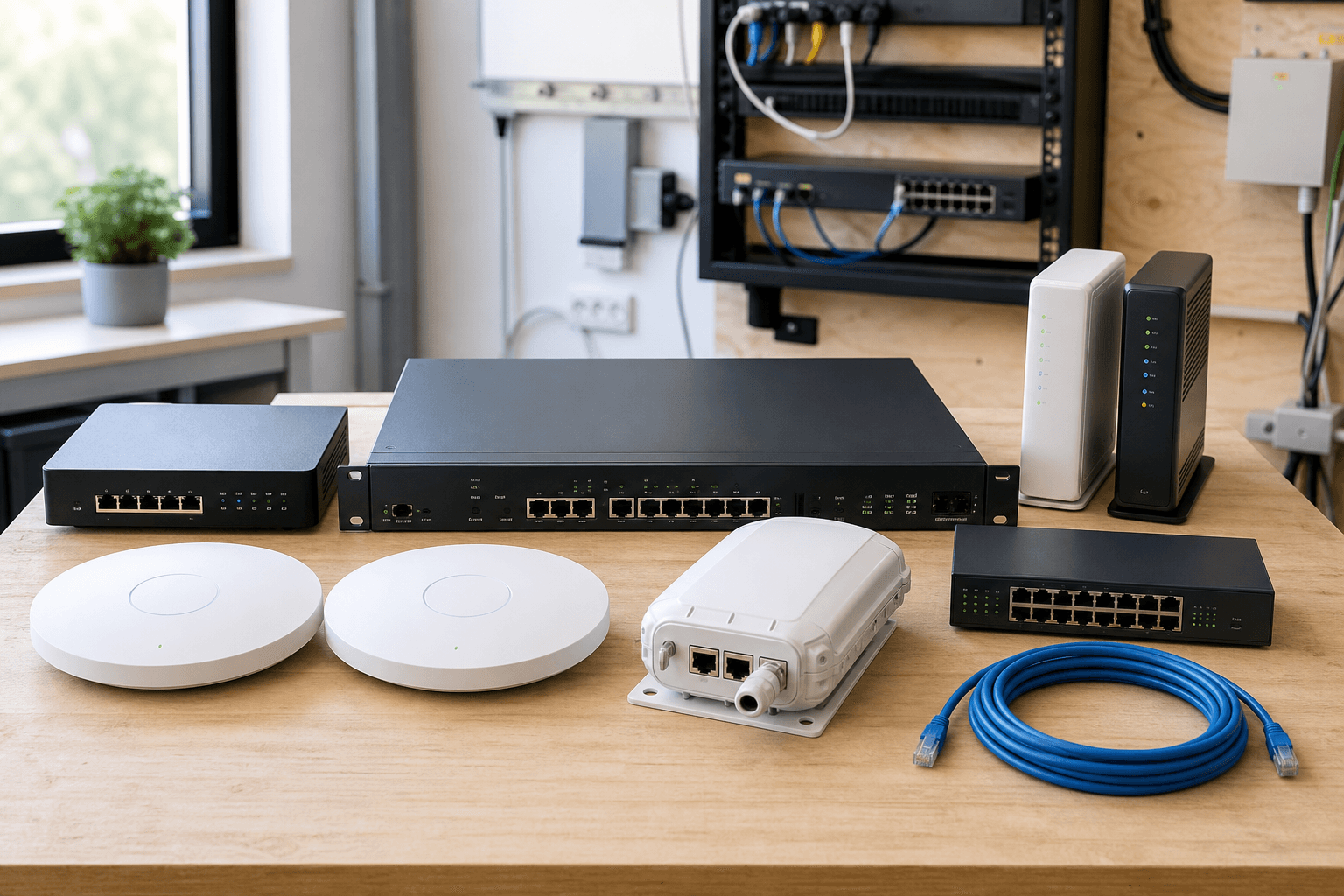
Validated device support
K7abeer uses the same sites, packages, vouchers, customers, sales, and reports across supported vendors. The app exposes only the controls validated for the selected device, firmware, and connection mode.
MikroTik
Full hotspot operations
Guided setup, Ethernet-port selection, WiFi, captive portal, vouchers, customers, secure remote access, backup, reset, restore, and monitoring.
Grandstream
Validated GWN local operation
Automatic discovery, WiFi and hotspot setup, vouchers, online customers, health, and sales reconciliation on validated GWN firmware.
UniFi
Validated managed-controller operation
AP adoption, WiFi and hotspot setup, vouchers, connected customers, health, and automatic sales through the K7abeer-managed controller.
Ruijie / Reyee
Local and customer-owned cloud integration
Automatic local discovery and WiFi controls across legacy/current eWeb login formats. Cloud voucher features require valid customer-owned API access and reported capabilities.
TP-Link / Omada
Validated standard WiFi controls
Automatic local discovery and normal, secured, or open WiFi on validated standalone access points. Voucher hotspot control is not advertised.
Wavlink
Validated basic setup
Factory-state discovery and standard secured/open WiFi setup on validated firmware. Provider-assigned management-address rediscovery remains device-dependent.
Other network devices
Inventory and assisted setup
Assign generic routers, access points, switches, and ISP equipment to sites without exposing unvalidated automatic writes.
Controlled deployment
Read identity, RouterOS version, interfaces, existing hotspot objects, queues, and conflicts.
Create encrypted backups, store verified off-device copies, and record ownership before changes.
Choose Simple, Intermediate, or Professional tools and review the exact intended configuration.
Apply supported changes with maintenance confirmation, post-checks, monitoring, and scoped rollback.
Multi-WAN design and live dry-run are available now. Live load-balancing apply, the K7abeer RADIUS server, and the automation API remain in controlled product completion and are not presented as production-ready features.
Customer experience
Give customers a clear WiFi journey from the captive portal to their printed access details. Adapt login pages, logos, colors, network names, credentials, and print density without changing how the network is operated.
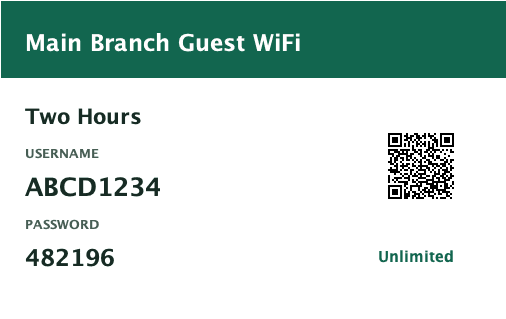
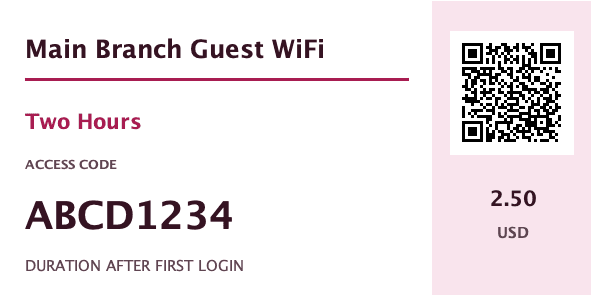
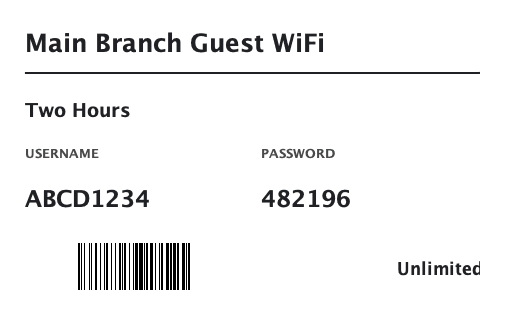
Reception, event, and low-ink access formats
Explore customer access designsK7abeer
Plans and capacity
Start with a 30-day trial, then select a plan by branches, devices, team size, and monthly voucher capacity. Monthly and longer billing periods are available; the product remains the same across every period.
For a single owner-operated network
One branch, one device, one user, and 1,000 vouchers per month.
Pricing not published
For owners and first-time operators
A focused workflow for one straightforward internet setup.
Pricing not published
For small multi-site teams
Manage up to 5 branches and 5 devices with 5 users including the owner.
Pricing not published
For growing businesses and technicians
More control for several routers, access points, or backup internet.
Pricing not published
For network teams and service providers
Planning and control for complex sites, multiple ISPs, and centralized access.
Pricing not published
Documentation & community
Use step-by-step guides for device setup, voucher policies, controller installation, branded login pages, printing, staff, subscriptions, and recovery. Each guide includes verification and troubleshooting.
Create your account for the 30-day trial or speak with K7abeer about installation, migration, multi-ISP design, access points, or RADIUS planning.